Commentary Writer

Generic AI gives generic insights. Commentary Writer is different. It's shaped by your goals, your strategy, and your market conditions.  

Every insight is relevant. Every number is traceable.  

Trusted by 100,00 companies worldwide

How Commentary Writer Works

Context-aware AI commentary connects insights to what matters in seconds, not hours.

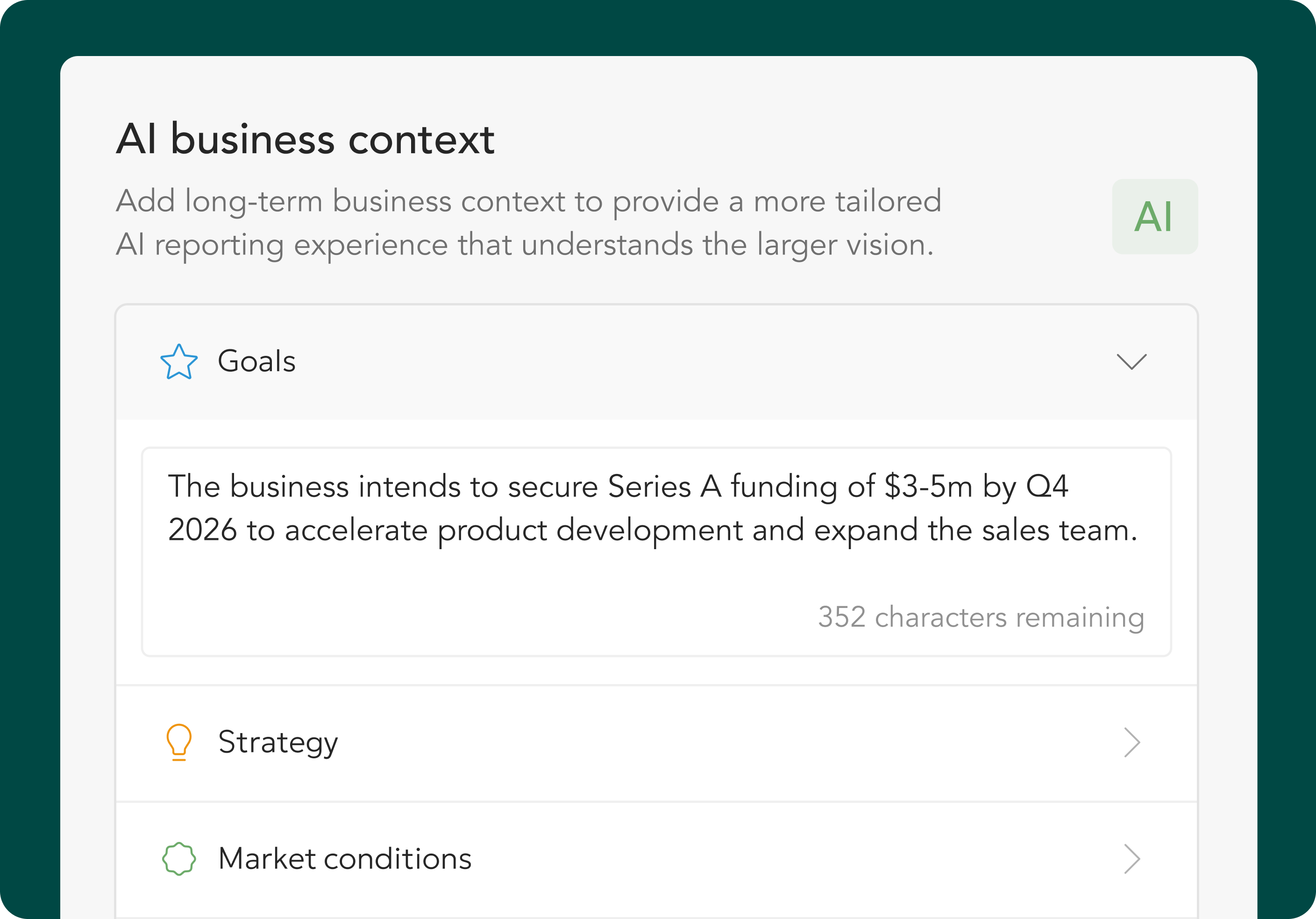
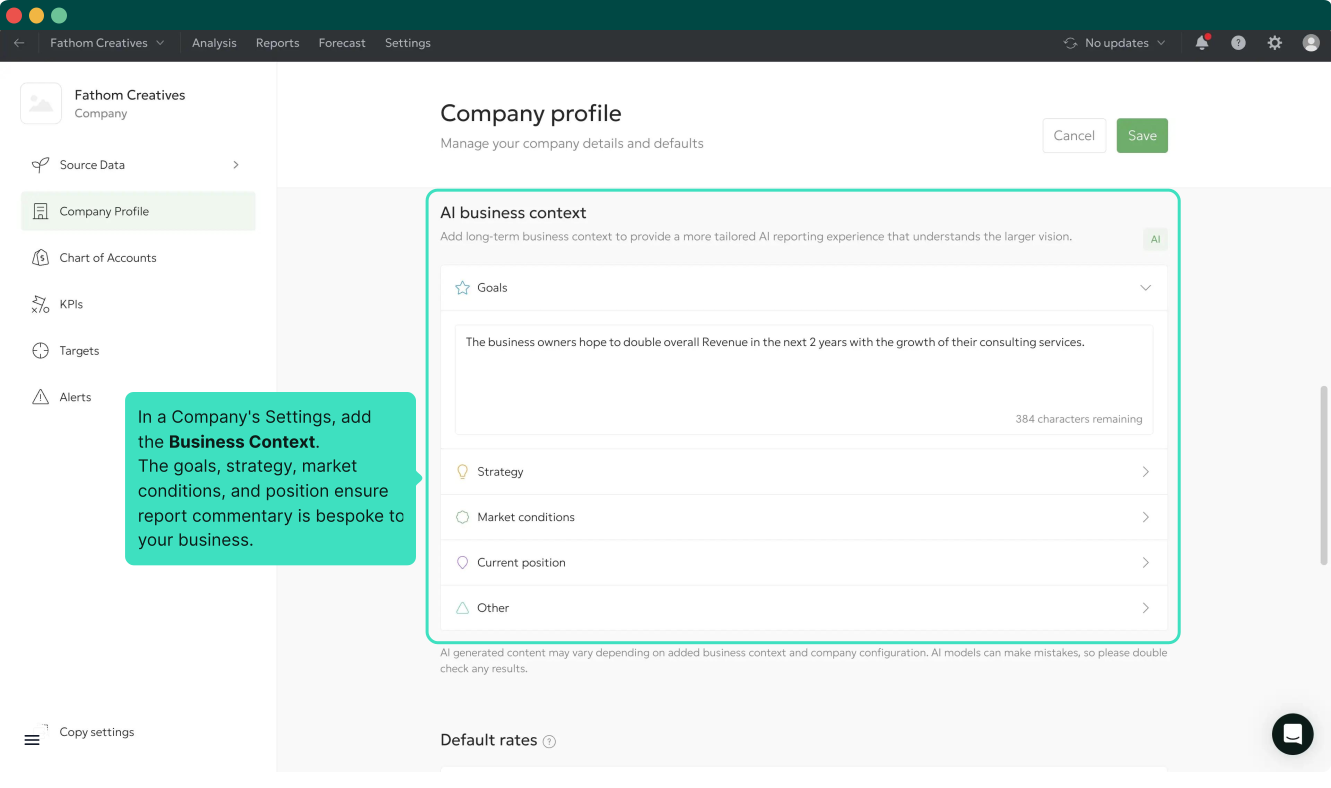
01/ Set your business context

Define your goals, strategy, market conditions, and current position. Set it once, and this context automatically shapes each report.

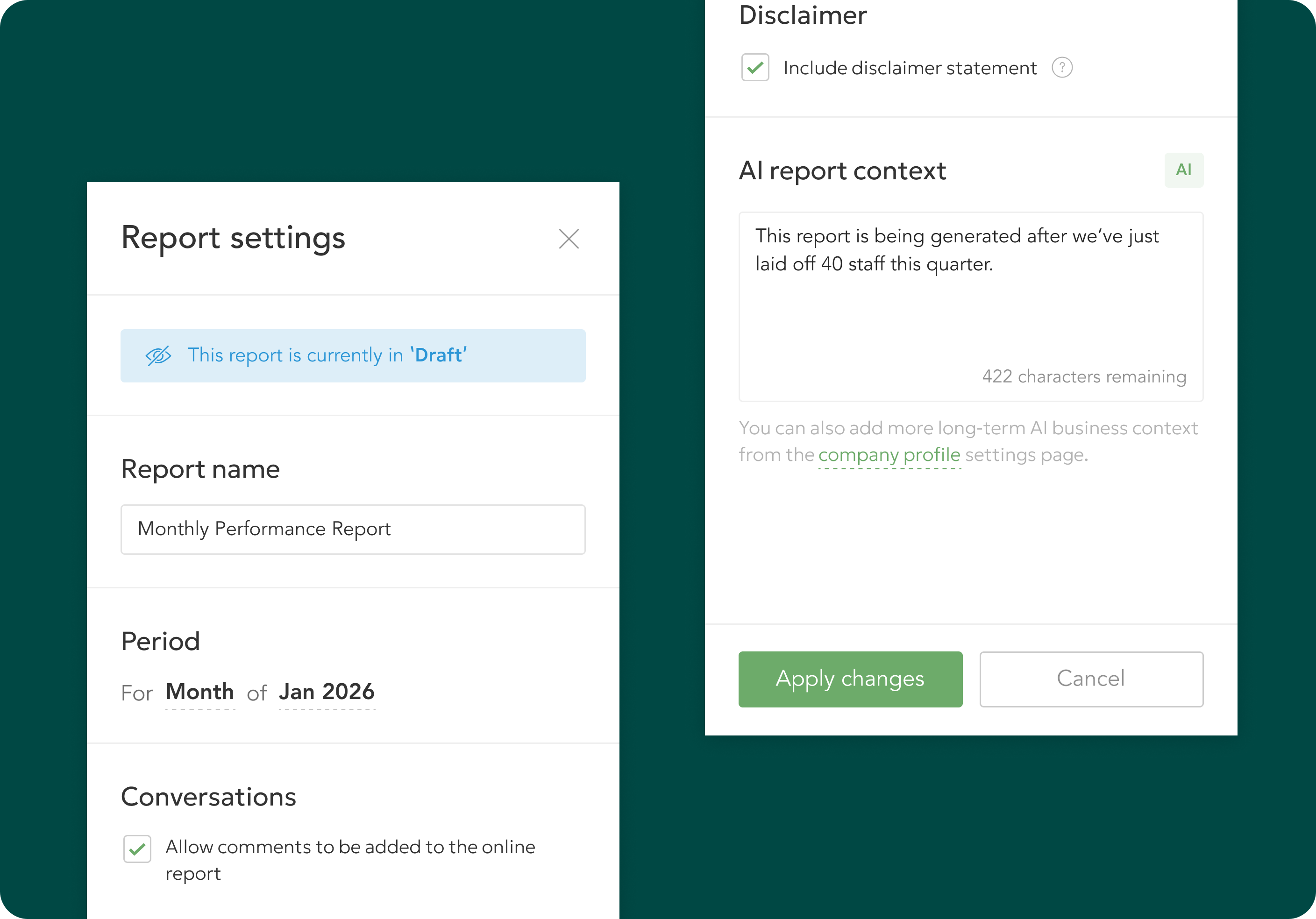
02/ Add report-specific context

For each reporting period, add relevant events, seasonal factors, or strategy shifts. Commentary Writer adapts its insights to reflect what’s happening now.

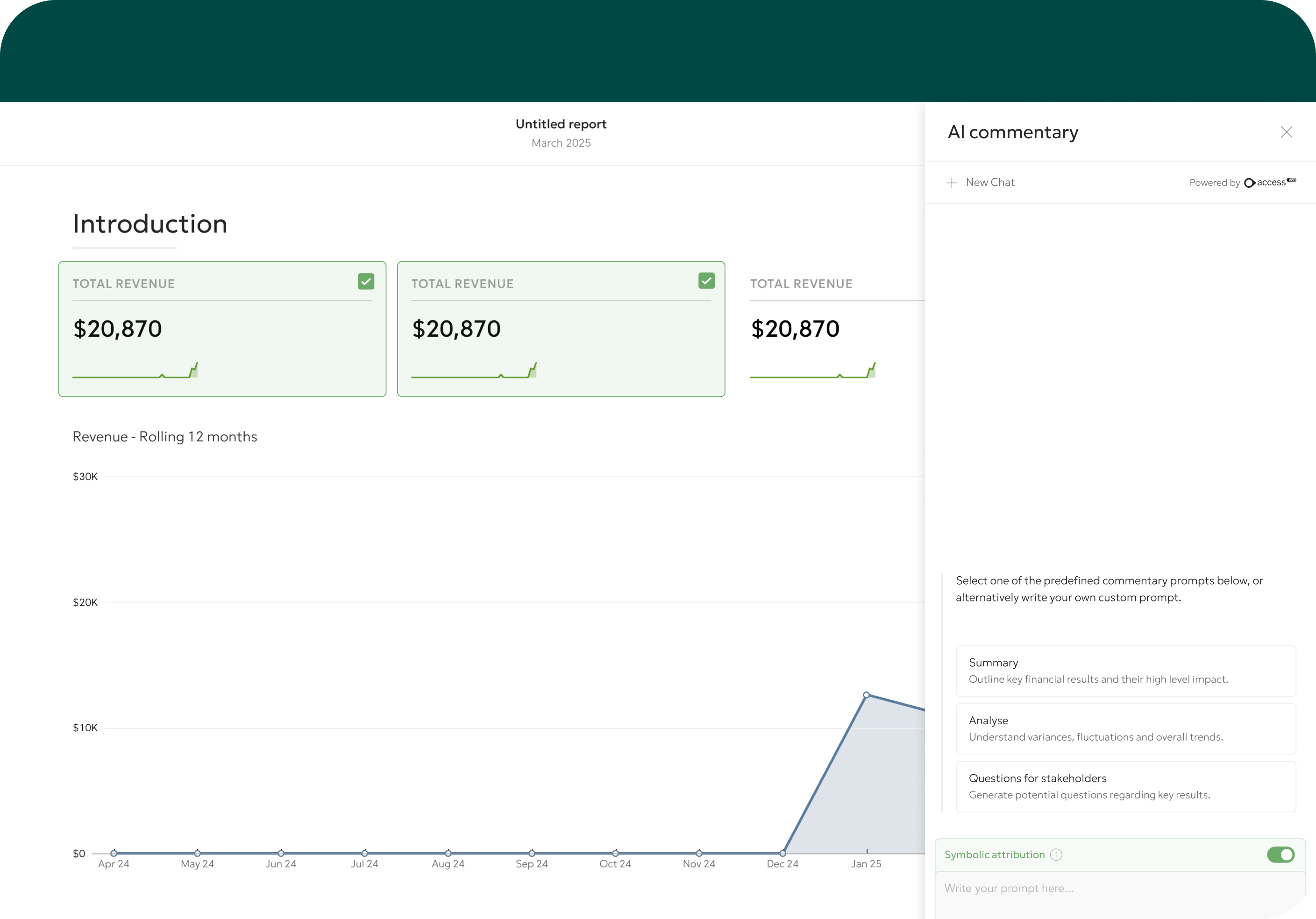
03/ Select your components

Choose up to six report components: P&L, Balance Sheet, KPIs, charts, or custom tables. Commentary Writer analyses exactly what you select.

04/ Generate with prompts or chat

Start with pre-built prompts or ask anything in freeform chat. Save up to 50 prompts and refine until it’s just right.

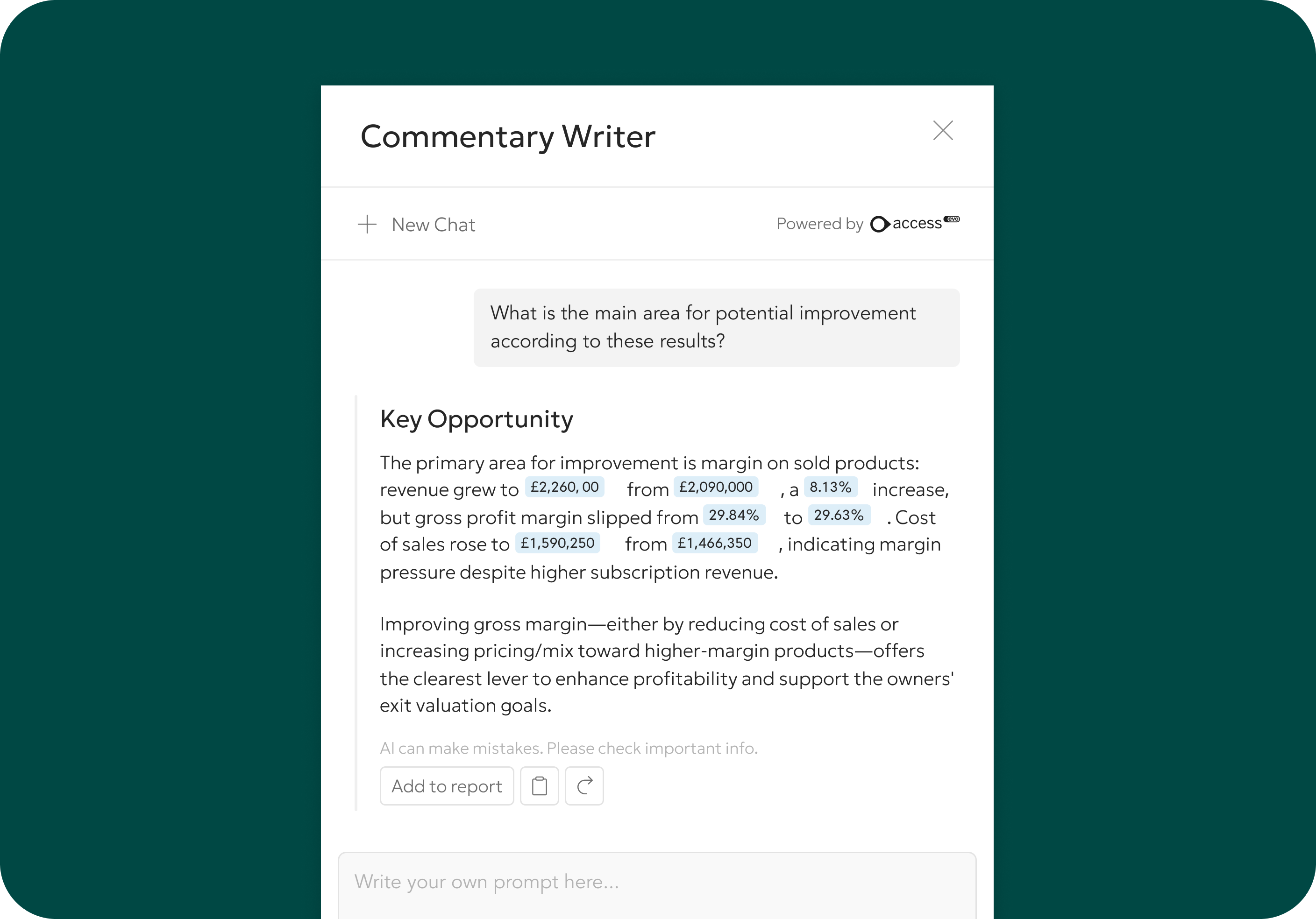
05/ Verify every insight

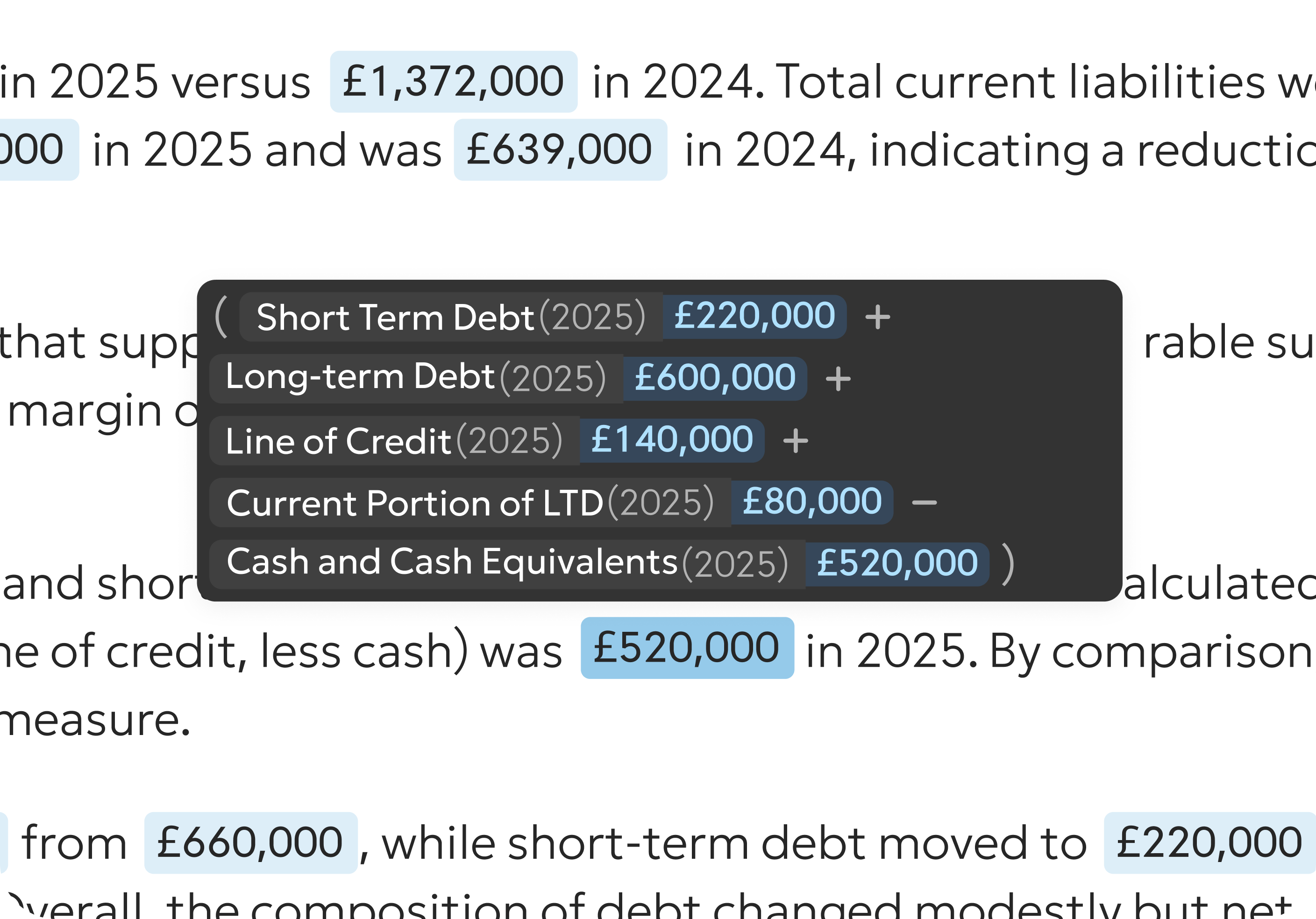
Every number is traceable back to where it came from. Hover to verify before you share.

06/ Drive better conversations

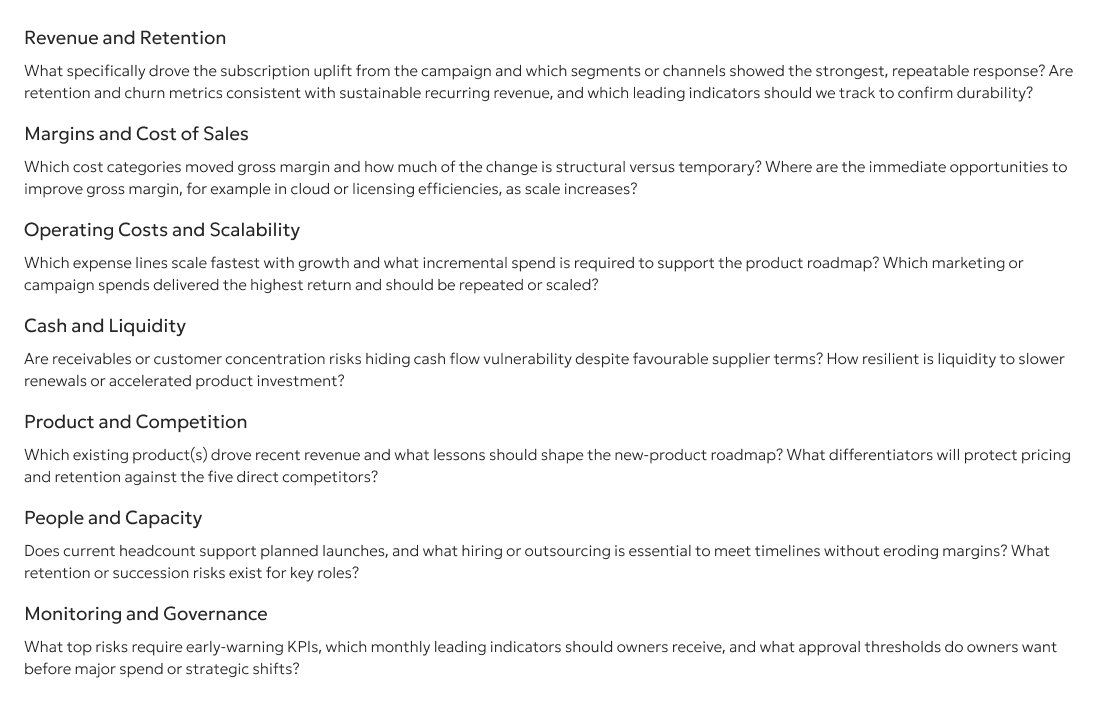
Ask for tailored stakeholder questions based on your data, business context, and report focus, helping you move from reporting to decision-making.

“It’s a brilliant addition. Embedding it into our templates so commentary updates each period would save us hours of manual drafting, and the stakeholder questions would be invaluable in client meetings.”
Managing Director, MAP
Paul Barnes
Managing Director, MAP

How Does Commentary Writer Compare?

Other Tools
Symbolic Attribution
Full traceability
Limited or none
Multi-level Context
Business + Report + Chat
Basic or none
Chat + Prompts
Both available
Often one or the other
Direct Report Integration
Click to insert & edit
Many lack this

Frequently asked questions

What can Commentary Writer do?
  • Generate commentary on selected report components (up to six at a time)
  • Use Business Context and Report Context automatically
  • Toggle between Simple/Technical style and Concise/Detailed length
  • Refine commentary with follow-up prompts
  • Show symbolic attribution (source tracing) for all figures
  • Insert commentary directly into reports for editing
What can Commentary Writer not do?
  • It is not a chatbot and cannot answer general questions or search the web
  • It does not retain chat history, each request is processed independently
  • It cannot provide investment, financial, legal, or industry advice
  • It does not generate industry averages or benchmarks
  • It cannot use external data; it only analyses selected report components
  • It cannot access transaction-level data (TB level only)
  • It cannot be used in Summary Reports within the Fathom Portfolio plan. Only available in Fathom Pro reports.
  • It cannot be used in templates (but can be used in reports created from templates)
How do I get the most out of Commentary Writer?
  • Use Business Context and Report Context; this enables shorter prompts and more relevant output
  • Use full sentences, proper punctuation, and grammar; the AI understands prompts better
  • Only provide relevant information; don't make the AI sift through irrelevant context
  • Include all necessary data in selected components; AI only uses what you select
  • Select logically related components; this produces more coherent commentary
  • Revisit Business Context periodically; ensure it stays relevant as the business evolves
  • Do not give the AI a different persona; it already has the persona of a financial professional
What prompt options are available?
Users can generate commentary using:
  • Pre-built prompts: Summarise key insights, analyse variants, generate stakeholder questions
  • Custom prompts: Freeform chat to ask anything about the referenced data
  • Prompt library: Save and reuse prompts (organisation-wide library coming)
What is the Context Window?
The Context Window allows users to set background information that shapes every AI insight. It has two levels:
  • Business Context: High-level background about the company (goals, strategy, market conditions, current position). Set once in Company Settings and used across all reports.
  • Report Context: Specific information about the reporting period (recent events, seasonal trends, strategy changes). Set per report in Report Settings.
What is Symbolic Attribution?
Symbolic Attribution is the ability to trace every AI-generated data point back to its source. Within generated commentary:
  • Figures are highlighted in light blue
  • Hover to see the source (name and period of result)
  • If calculated by AI, the formula is displayed

Is Commentary Writer secure?
Commentary Writer is built with an extra layer of security for financial data.
Key points:
•   Client data is NOT sent to external AI models for training
•   Each entity/group has weekly token limits
•   Token limits refresh every Monday at 0:00 UTC
•   Fathom has received ISO27001 certification and been issued with the SOC 2 Type 1 report.